
Legislative history and intent is very useful for legal research. Canadian jurisprudence places a lot of importance on the intent of the legislators when they were creating legislation, so the debates are used to do so.
Legislative history: tracing an act, section, subsection or term to the first instance, a specific point in time or to see how it evolved over time.
Legislative Intent: finding the relevant debates, committee proceedings and other documents related to the Act, section, subsection or term your are looking into.
To provide legislative intent, you need to do a legislative history first. Doing that will show you where to look for debates; you’ll have the year, parliament and session, the bill number, etc. and it will be a time saver.
Before you start, you need to
- Define your research question:
-
- What are you looking for? What do you need to know? (act, section or subsection, term)
-
- How far back do you need to go or what period of time are you looking into?
- Create a document to keep track of your research!
Federal Legislative Research (all resources and their links are listed at the end of each section)
History
The example for the session was s. 320.14 of the Criminal Code, which is operating a vehicle while impaired. To do legislative history, you need to trace back the consolidations and amendments, here’s how I did it for this example:
For recent amendments, you can use the Table of Public Statutes (TOPS):
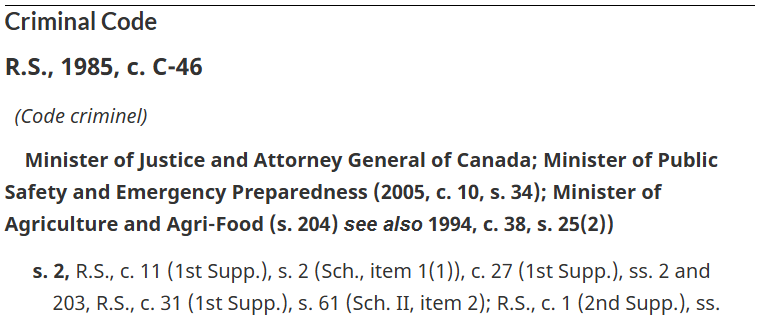
It will show you the amendments made to every section. It’s not a complete list, but if you only need the amendments, that’s the place to start.
There’s also the Justice Laws Website:

If you go to the section you are looking into, you’ll find the latest amendments at the end of the section. In this case – 2018, c. 21, s.15.
You can browse older versions of it using the “Previous Versions” button at the top.

If we select a version before the enactment in 2018, we see that the previous section was repealed. It’s mentioned under s. 320.26 or you can use ctrl+ f to find the section “Operation while impaired”. Once you find the previous version, you find more amendments and consolidations:
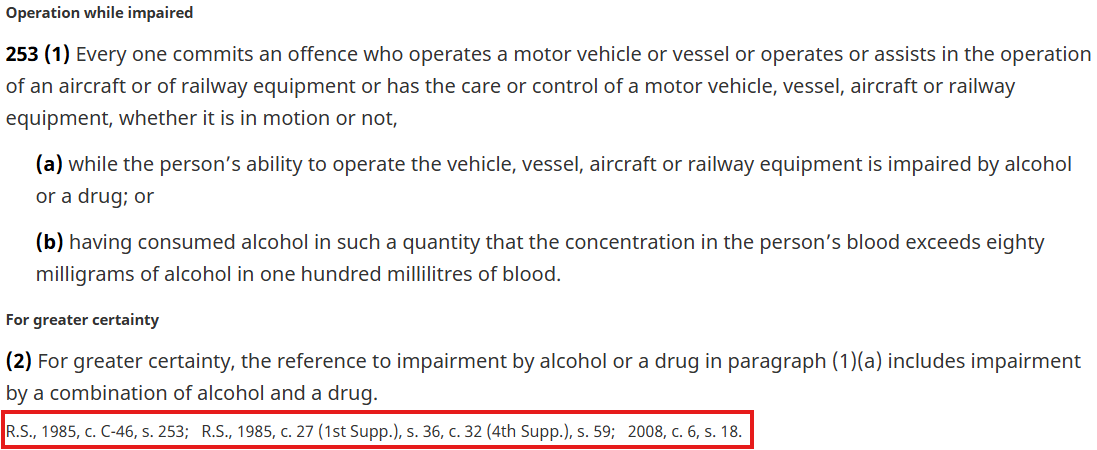
To find the older amendments, you can use HeinOnline. There are three databases for Canadian statutes:
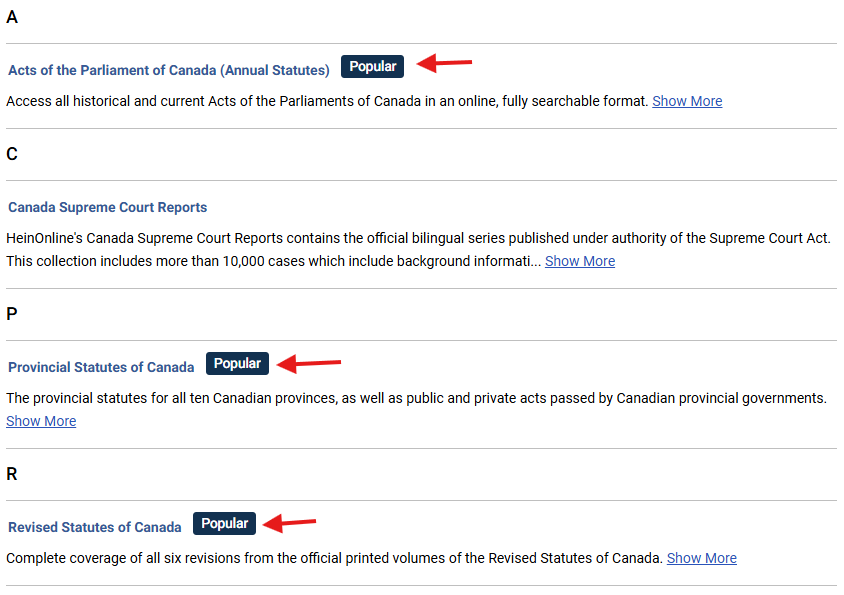
To find a consolidation, you would use the last one.
- R.S., 1985, c. C-46, s. 253 (p. 159)
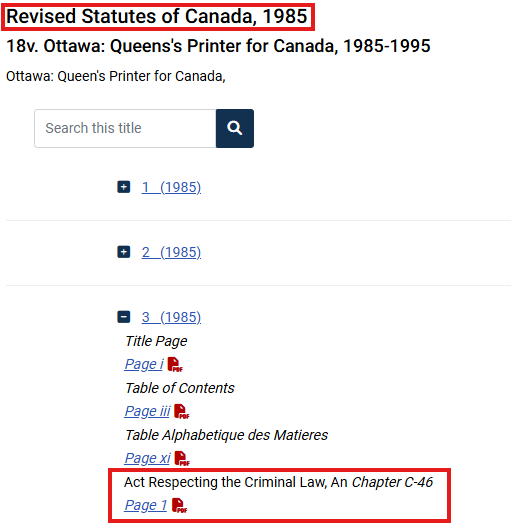
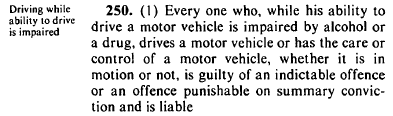
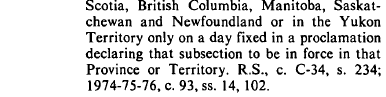
You can see that it’s not the right section in the citation (253 vs 250), mistakes can happen. For this one I just browsed back a few pages, but you could also do a keyword search if that happens. You can then find the previous amendments and consolidations to continue your research. I’ll again skip a few citations and go directly to R.S., c. C-34, s. 234.
- R.S., c. C-34, s. 234 (p. 1615)
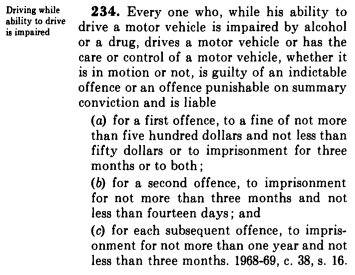
This citation is for another consolidation. When you don’t have the date after R.S. it simply means the previous one (in this case 1970). You would again find the right chapter and the right page, to find the previous amendment.
- 1968-69, c. 38, s. 16 (p. 880)
For an annual statute, you need to use the Acts of the Parliament of Canada database on HeinOnline. It’s organized by date
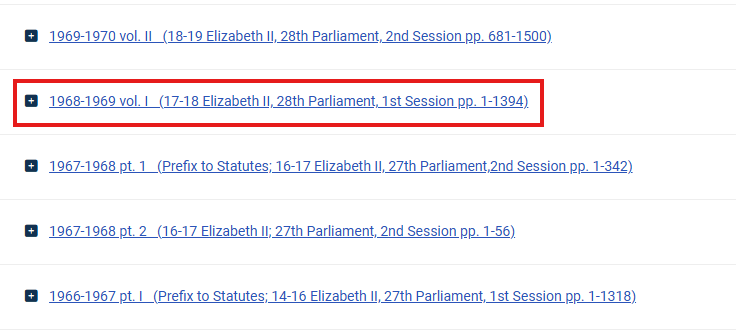
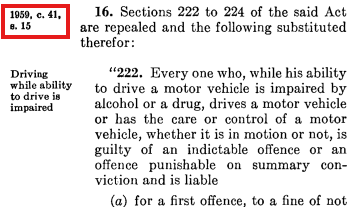
In older statutes, the amendments where on the side of the page.
To go back to the first instance of this section, we would continue the same process until 1921. If you don’t know the citation, you can use the Table of Contents.
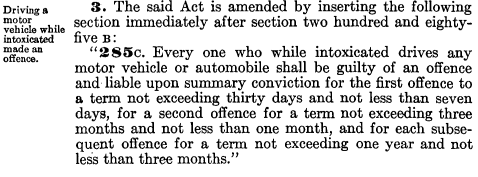
- 1921, c. 25, 285C (p. 122)
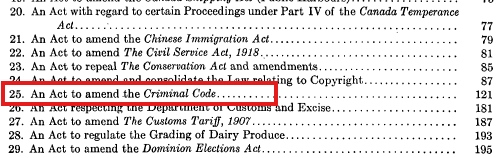
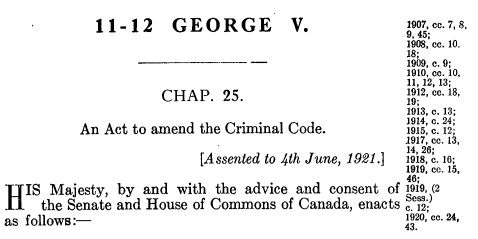
The first image is the Table of Contents, the first number on the left is the chapter, and the other one the page number.
The second image is the first page of chapter 25, you can see the title of the Act and the date it received Royal Assent. There are no more amendments for this section. but as you can see on the second image, there are additional ones for the Criminal Code related to other sections.
To make sure you’ve covered everything, you can do a keyword search on the main page of the database. As you saw citations can contain mistakes or be forgotten. And of course, here I’ve skipped a few amendments, because it would’ve taken too much time, but for this type of research you want to look at all of them to get the full picture.
Intent
To find recent debates we would go to LegisInfo. The first thing you need is find the bill number.
Going back to the latest amendment –
- 2018, c. 21, s. 15.
An easy way to find this information is to check the date the Act received royal assent and the title. This information is also sometimes included in the Annual Statutes’ Table of Contents, you can also look in Debates Indices or Journals.
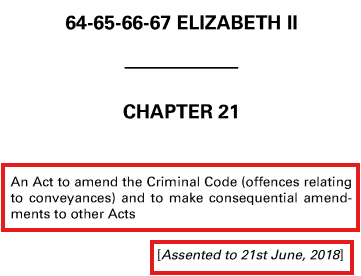
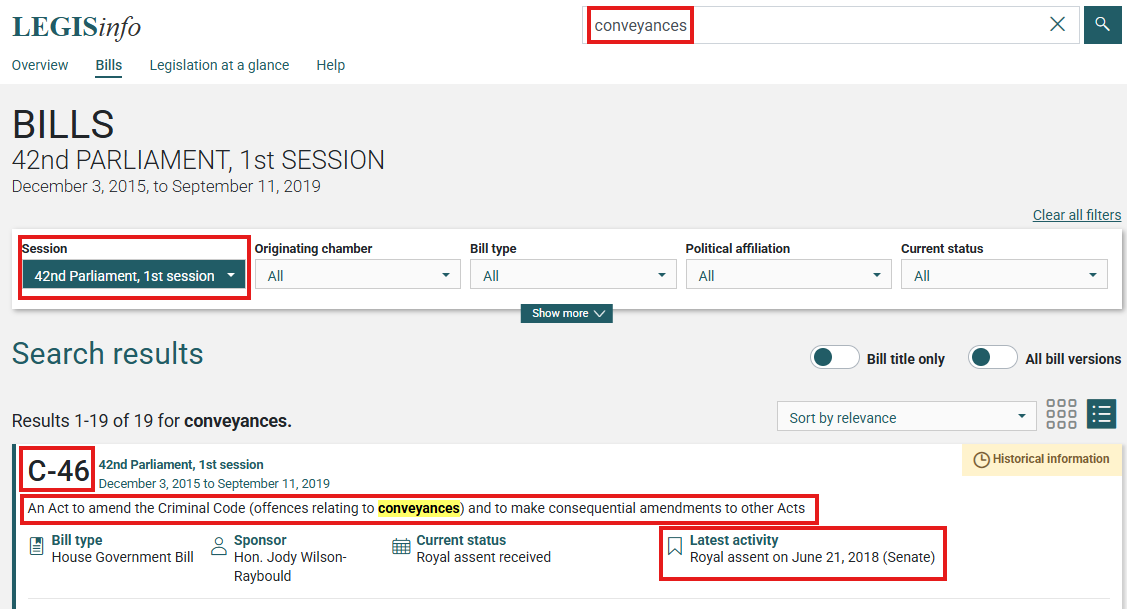
The first image is the first page of the Act on HeinOnline. The second image is my search on LegisInfo, I did a keyword search (conveyances) and selected the 42nd Parliament, 1st session (for 2018). The first result at the top is the Bill I was looking for – C-46. You can validate that with the title and the Royal Assent date.
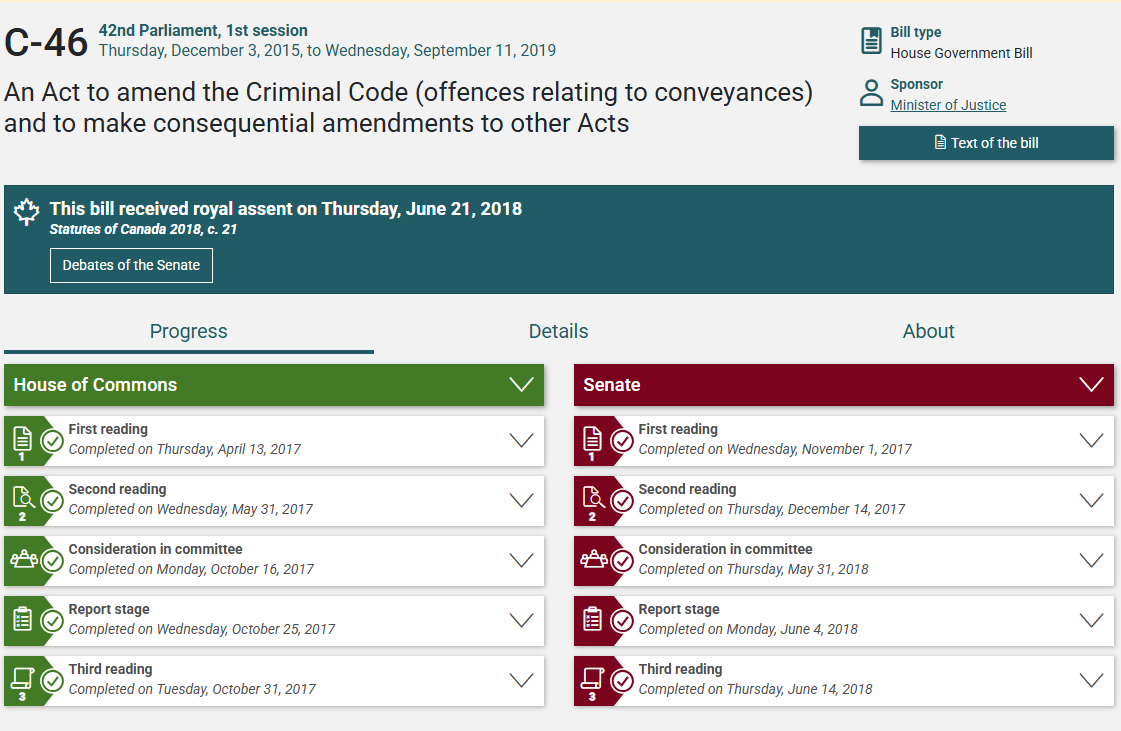
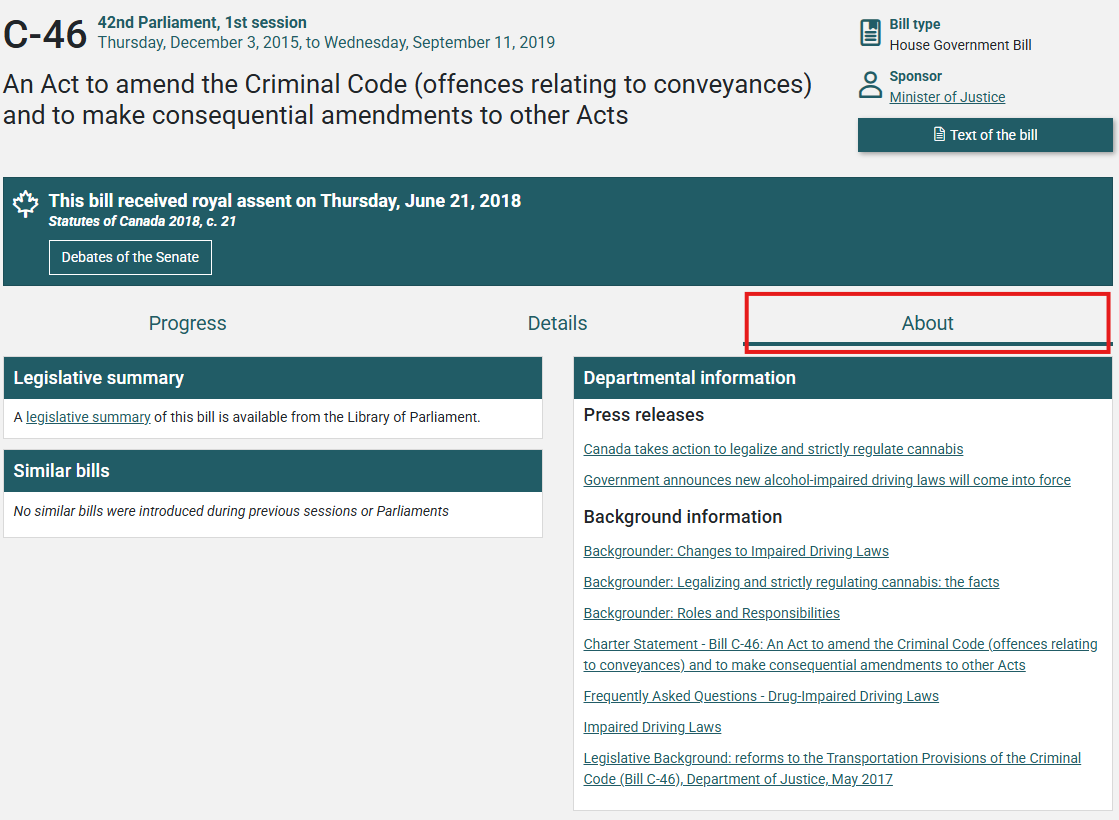
On LegisInfo, you have all the debates from the Senate and House of Commons and the committee proceedings. For recent bills it is quite easy. You also have more documents under the tab about, like a legislative summary, press releases, background information and other publications. Not all the bills have all these additional documents. And you don’t always have links, so you’ll have to do additional research to find what you want from there.
Another tool you can use is “Search the debates” on the House of Commons website. If you are looking into a specific term and you don’t want to go through all the debates.
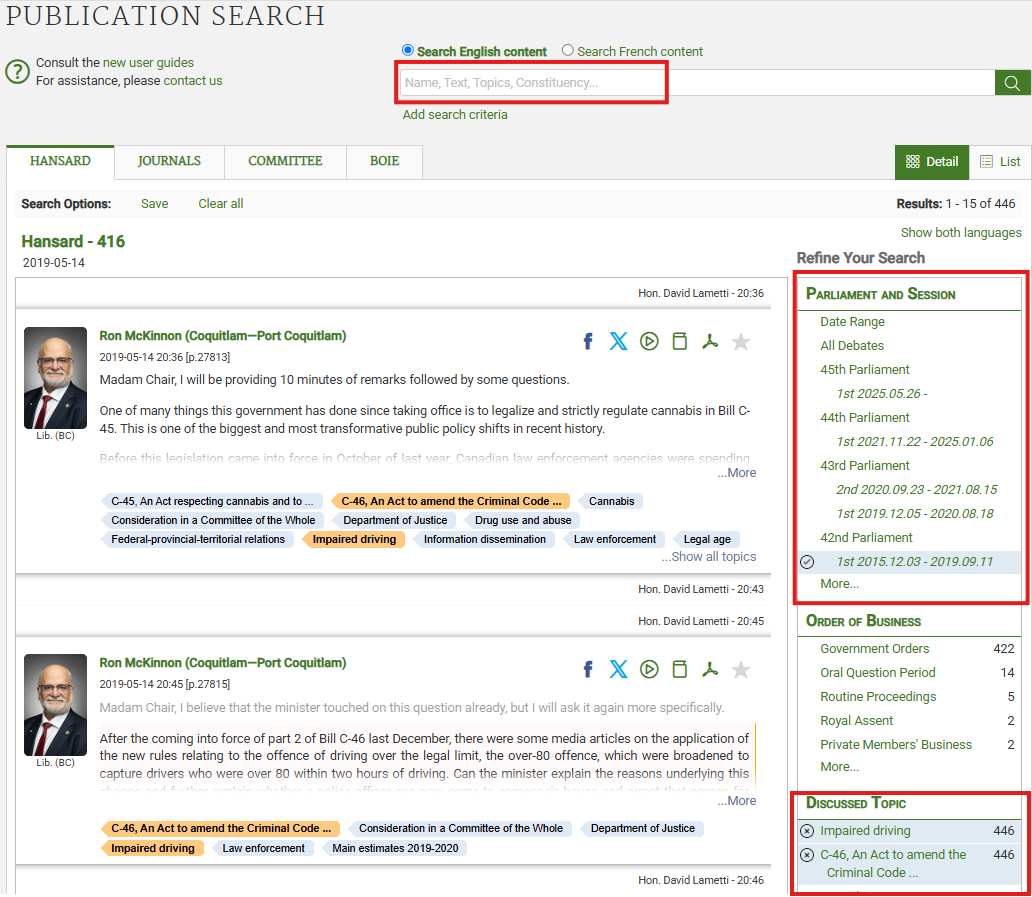
You can add filters to your search to find exactly what you’re looking for. Here, I selected the Parliament and session, I added topics and you can also do a keyword search on top of that to narrow your results. If you want to look into committee proceedings, it’s under the tab committee and it looks exactly the same.
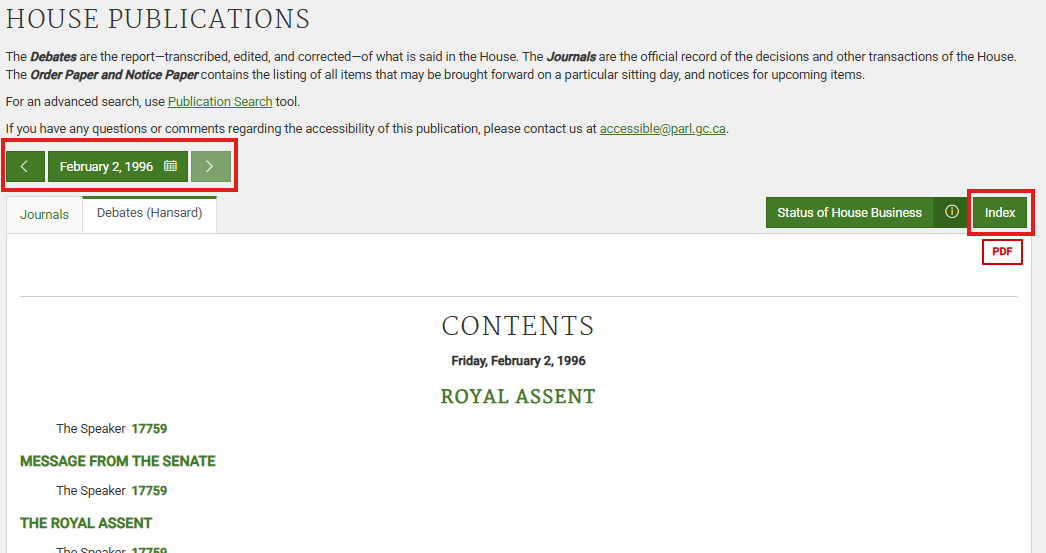
If your amendment is between the 35th and 36th parliament. They are listed on LegisInfo, but if you click on one, there won’t be any details. Instead, you want to go on the House of Commons website, and to House Publications. Click on the date to select the right Parliament and session, and you will get the debates. You need to use the Index to find the relevant debates.
Going back to our example, I want debates from 1921 – we need to go into Parliamentary Historical Resources.
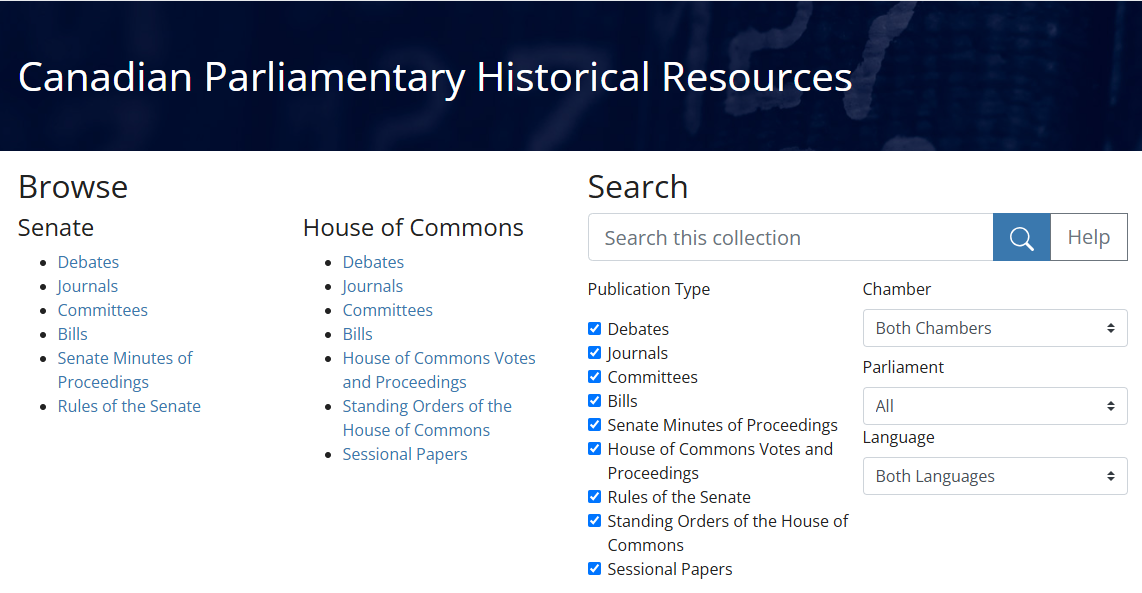
Some debates are not translated, and the committee’s proceedings are not all there. So, if you can’t find yours, it means you have to look for a print version. Some are available at the University of Ottawa library, you can search in omni with the name of the committee before going in person. For the 1921 debates, it’s under the 13th Parliament, 5th session.
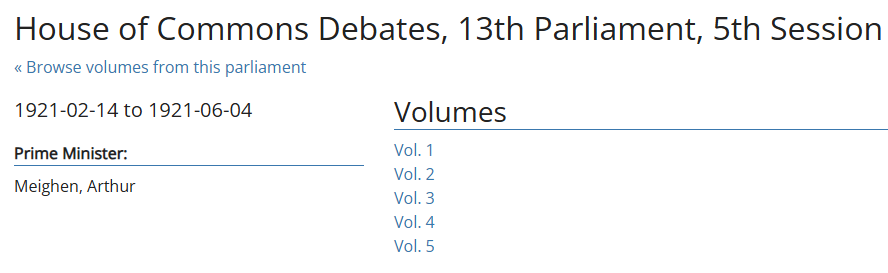
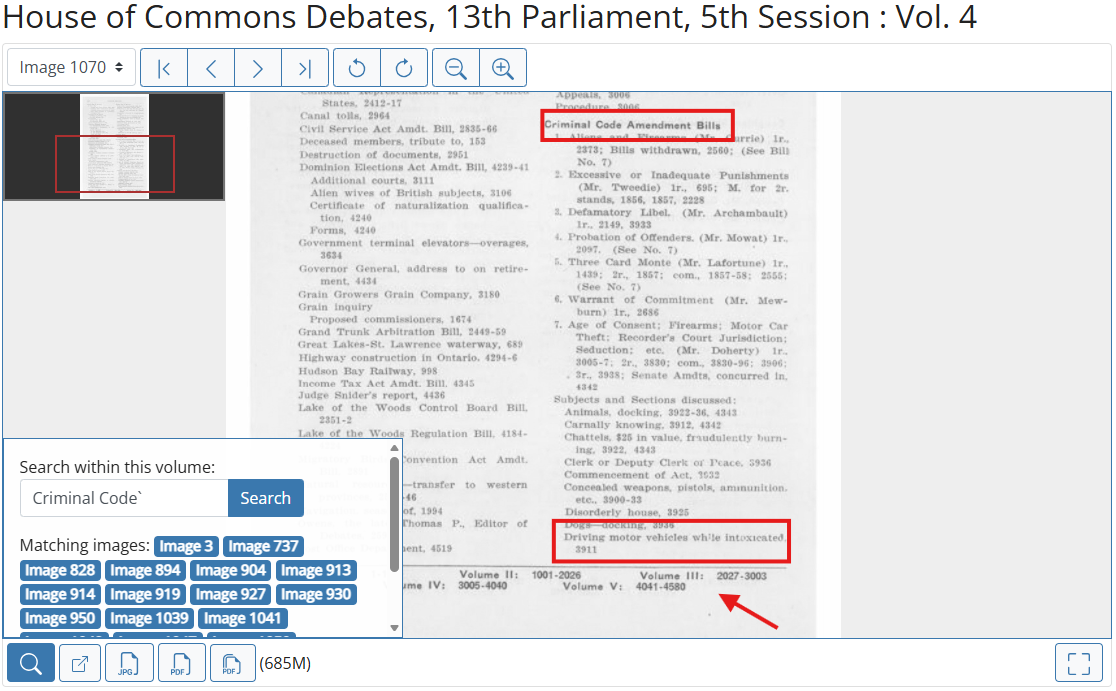
If there is an Index, start there, for some years it’s a separate volume. For this example, it’s at the end of every volume. It’s organized by alphabetical order, and I did a keyword search with “Criminal Code”. If you’re confident that the subject you’re looking into is going to be in Index you can use a more precise keyword. In later indices, all the Bills with their number are listed under “Bills”, which makes it easier. In this example, we can see that our topic was discussed at page 3911, which is in volume 4.
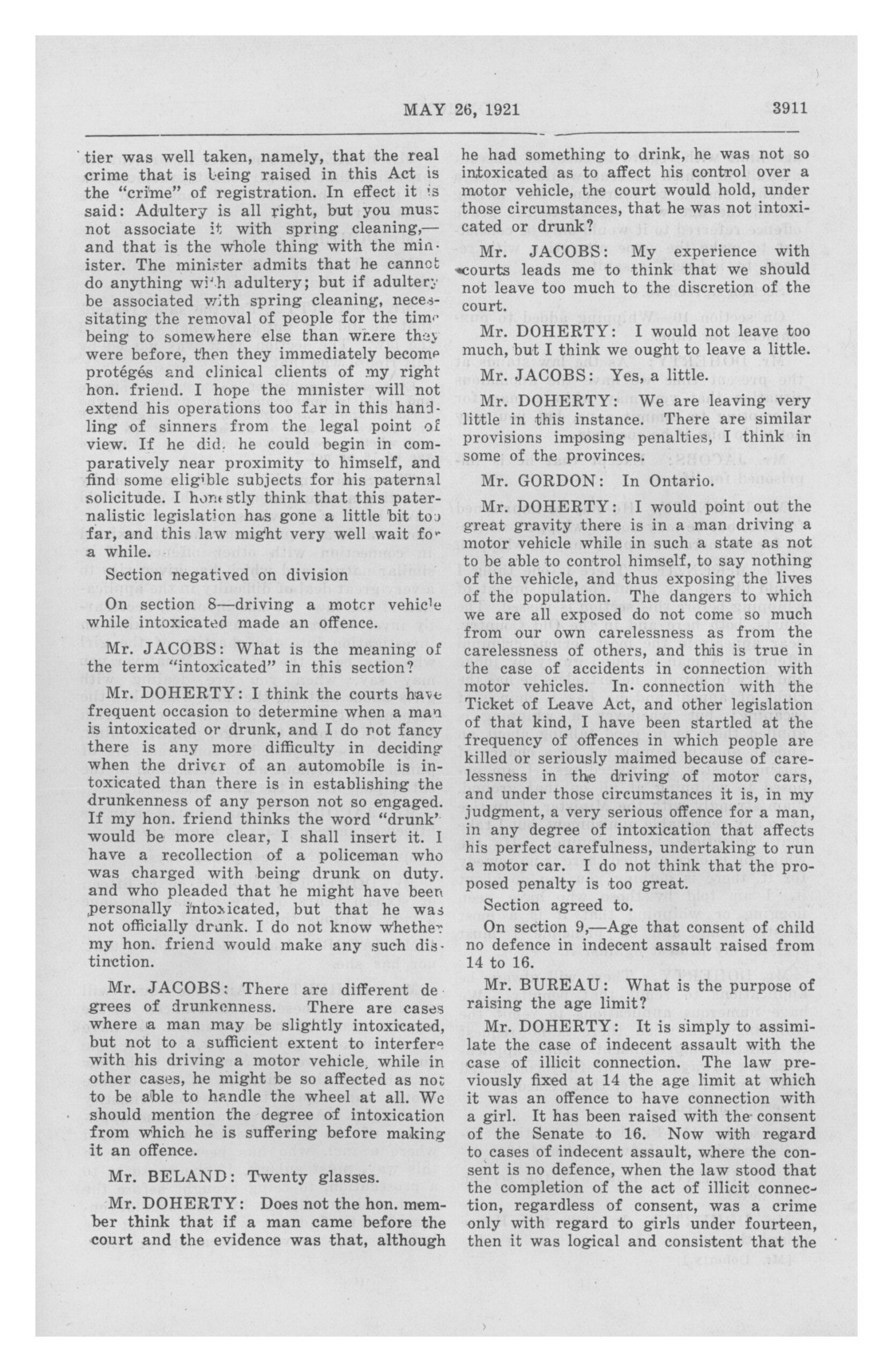
You can then download the page to PDF and then you can also copy the text – just double check for mistakes.
If you don’t find anything with the keywords you’ve used, try other keywords and if you can’t find anything, that’s possible. Sometimes there are no debates on a specific section. And if you want to link to this document, use the persistent URL at the bottom and take note of the image number.
Note that for consolidations, if there isn’t an amendment, there won’t be any debates because they were just republishing the act for convenience.
Resources
- Amendments
- TOPS – cumulative, alphabetical listings of all federal statutes. It provides a
citation to the main statute plus citations to any amendments.- Justice Laws Website > Related Resources > Table of Public Statutes
and Responsible Ministers - In print – colored pages at the back of Annual Statutes
- Justice Laws Website > Related Resources > Table of Public Statutes
- Justice Laws Website > Laws > Consolidated Acts
- Canada Statutes Citator (in print – for the revisions)
- Tables of Concordance on Lexis (Under content type/popular sources)
- Table of Concordance in the 1985 Consolidation (HeinOnline)
- TOPS – cumulative, alphabetical listings of all federal statutes. It provides a
- Annual Statutes
- HeinOnline (available at the library or remotely)
- Acts of the Parliament of Canada (Annual Statutes) (1792-2025)
- CanLII (Free) – 2001 to now
- Justice Laws (Free) – 2001 to now
- LLMC (available at the library or remotely)- Annual Statutes in FR & EN (1792 to 1831)
- HeinOnline (available at the library or remotely)
- Revised Statutes
- HeinOnline – Revised Statutes of Canada (All revisions since 1886)
- CanLII – 2003 to now
- Justice Laws – 2001 to now (official since 2009)
- LLMC – All revisions since 1886
- Canadiana (Free) – 1886 revision (FR)
- Legislative Intent
- LegisInfo (2001-now) (Senate & Commons) 37th Parliament to now
- Publication Search (2001-now) (Commons) – To search the debates
- House Publications (1994-2001) (Commons) – Used for 35th and 36th Parliaments
- Use Index to pinpoint the debates you need
- Parliamentary Historical Resources (Senate & Commons) – 1st to 35th Parliament
- Debates of the Senate (1996-now)
- Internet Archive – Government Publications
- lipad – Hansard from 1901 to 2019
- Committees
Ontario Legislative Research
History
For this second example, I will use the Education Act, R.S.O. 1990, c. E.2, s. 8 (1), ss. 26. To find recent amendments, you can use the e-laws website.
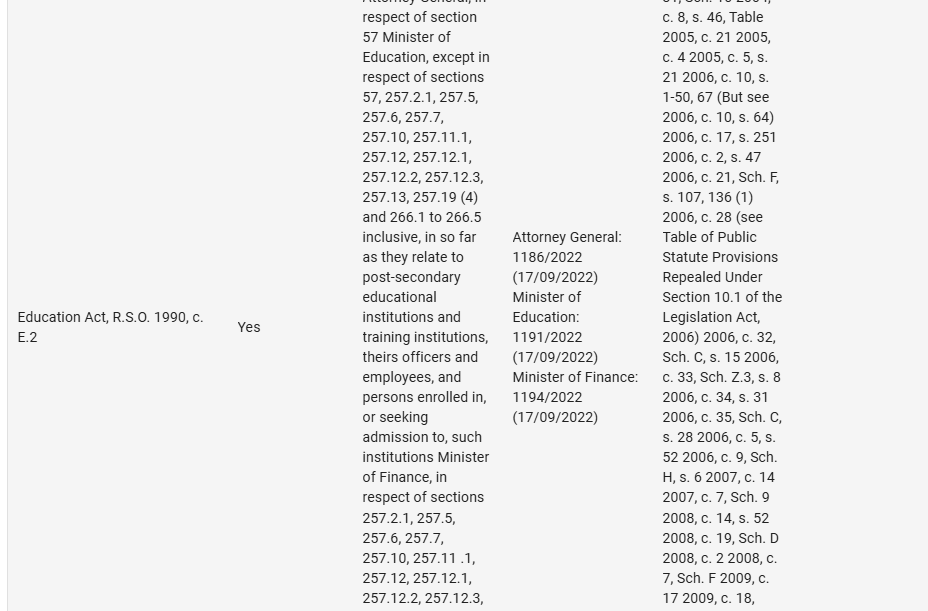
Your first option is to use the Table of Public Statutes. It is a list of Ontario’s consolidated and unconsolidated public statutes. It indicates whether the statute is on e-Laws or not, the amendments, if the statute was repealed, and more. It is a really great tool to start your research. The only thing is you won’t know the amendment is for which section.
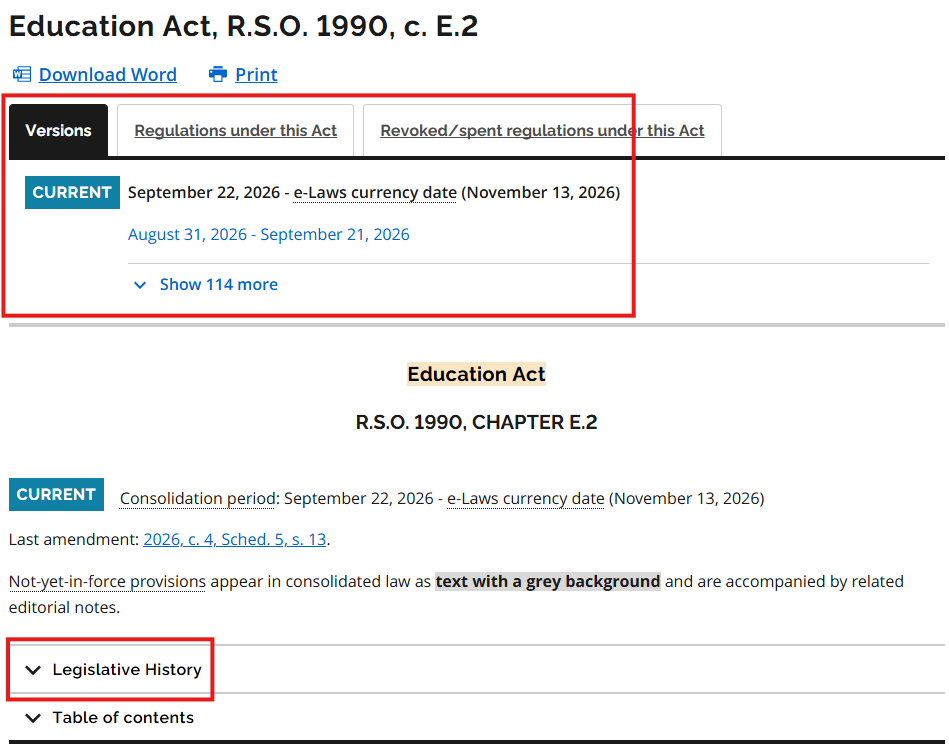
Another option is you can go directly into the Act itself on e-laws. At the top you have access to the previous versions and the legislative history.

If you want to find the older amendments and consolidations, you can use HeinOnline and it works the same as for the federal legislation. Only difference is you need to go into the Provincial Statutes of Canada database and select Ontario. First, you have the Annual Statutes from 1967 to 1987, then, you have older ones from the Province of Upper Canada from 1792 to 1831, and the rest is the consolidations.
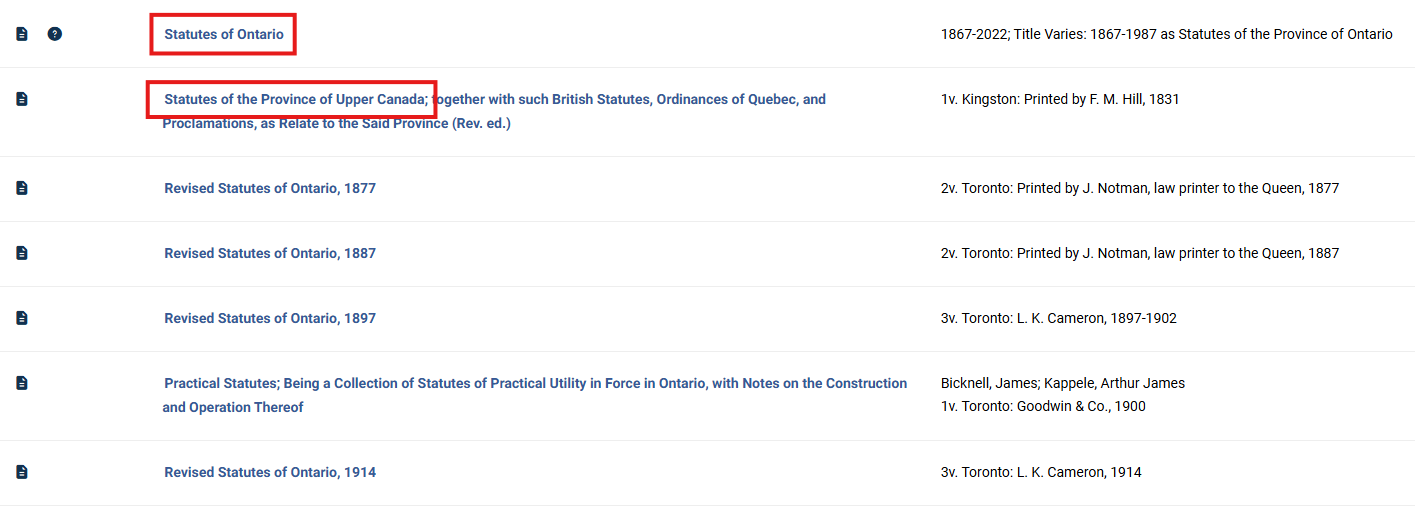
- R.S.O. 1990, c. E.2, s. 8 (1), ss. 26 (p. 516)
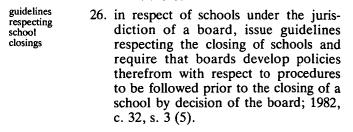
You can see the previous amendment at the end of the section. If you want to go further back in your research you would just continue to follow the breadcrumbs until you find what it is you were looking for.
Intent
For the debates, you can use the Legislative Assembly of Ontario website. To find the Bill number, they are sometimes included in the Table of Contents of the Annual Statutes, or you can browse the Bills on OLA, it goes back to 1995.
If we are looking for the committee debates (42nd Parliament to now) – you can find them on the Legislative business page, under Committees. If you are looking for the debates, you need to click on House documents, then Hansard Search (1974 to now).
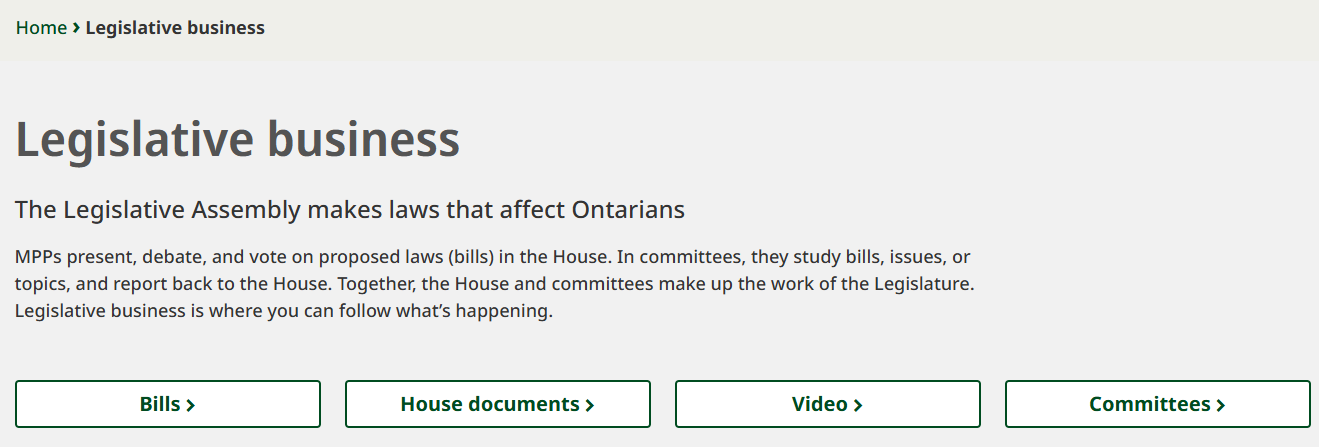
You can then select the right Parliament and session and add filters and keywords to your search to narrow the results.
Resources
- Legislative History
- TOPS – list of Ontario’s consolidated and unconsolidated public statutes.
- HeinOnline – Provincial Statutes of Canada – Ontario
- AS (1867-2022)/RS All revisions since 1877
- Statutes of Upper Canada (1792-1831)
- CanLII – AS (2001-now)/RS (2004-now)
- e-laws (Free) – 2001-now / Legislative Tables
- Osgoode Hall Digital Commons – Scanned Historical Statutes
- Ontario Statutes Citator (print) RS
- Ontario Annual Statutes and Revised Statutes (in print at the library)
- Internet Archive
- The Legislative Assembly of Ontario Collection (1867-2020)
- Legislative Intent
- Legislative Assembly of Ontario
- Bills since 36th session
- Hansard (1974 to now)
- Committees
- Internet Archive
- Legislative Assembly of Ontario: Official Report of Debates (Hansard) (1945-1980)
- Legislative Assembly of Ontario
Finding relevant caselaw
- Looking at Annotated Acts
We have a lot at the library, and you might have some at your office. They will contain caselaw that were relevant at the time of printing. So, if you take an older version, it will be a snapshot of that period of time.
- Noting up by section number
First way to do it is on CanlII. You can use the third search box, the Noteup/Discussion box. It will allow you to see the documents that cite a specific piece of legislation and you can add one or more sections or subsections to your search. Don’t forget to switch the “or” to “and” if you want cases about both. You can narrow your results with the date filter, if you are looking for older decisions or use keywords.
You can also do that on Westlaw. One way to do it is by searching with your citation: “R.S.C. 1985, c. C-46, s. 320”, and you will find it under “Statutes and Regulations”. If you click on the section, you will have citing references at the top and you can choose Cases and Decisions. You even have secondary sources listed and you can filter the results with the box on the left. You also have direct links to annotations.
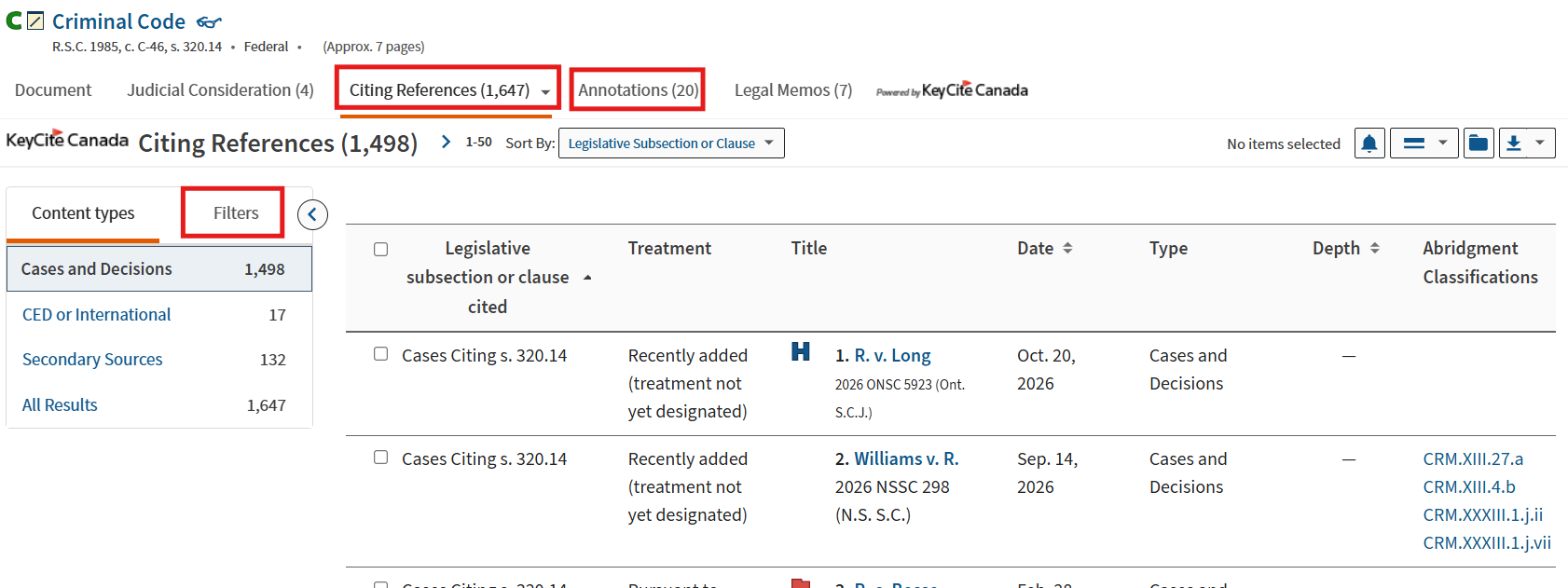
Just a note that this can be challenging if the section no longer exists. For recent amendments that works great. And for both CanLII and Westlaw you can search the provincial legislation as well.
- Phrase searching. So, if you have specific wording, you can try searching for those specific words in quotation marks or
- Use other Boolean operators
“title of the Act” /s section # – to search for both terms in the same sentence (Ex. “Criminal Code” /s 320)
OR
“title of the Act” /number of words section # – to search for both terms within a number of words (Ex. “Criminal Code” /5 320)